



The author has a role as a non-formal educator in disseminating knowledge. Efforts to spread goodness through writings in various forms as a medium of enlightenment. The more people read the writing, the more widely the writing spreads through space and time.
Ibn al-Jauzi rahimahullah said:
Whoever likes his deeds to be uninterrupted after he dies, then he should spread knowledge.
At-Tadzkirah-55
Uloom is a collaborative content media platform. This means that you can register yourself and post your writings. Before you send an article, please create an account first, how to follow the steps as below:
1. Create an account By Registering
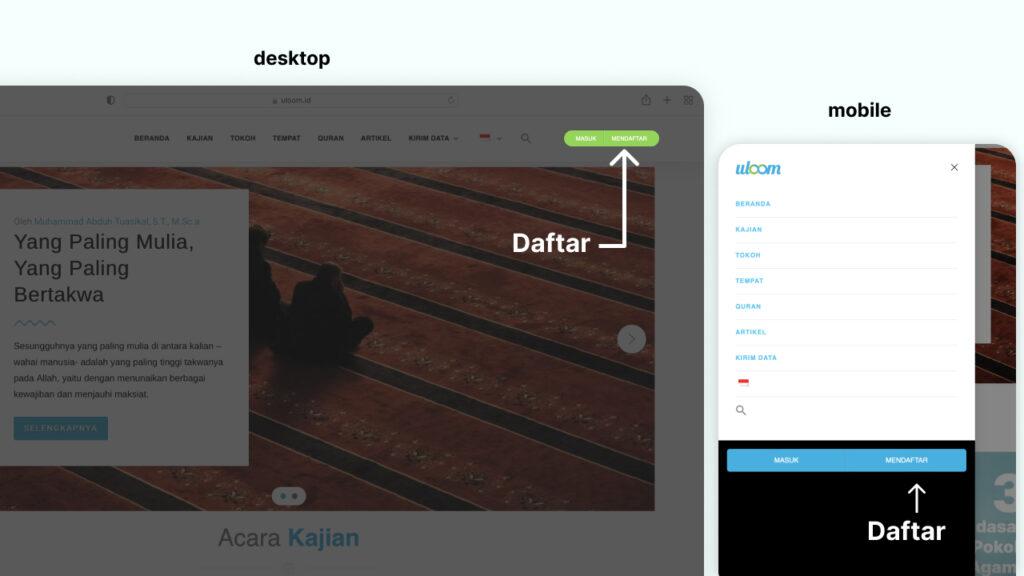
Click the “register” button in the top right corner if on the desktop. Or the top right menu if on a cellphone or mobile click the "register" button at the bottom of the menu.
2. Fill in the Registration Form Correctly
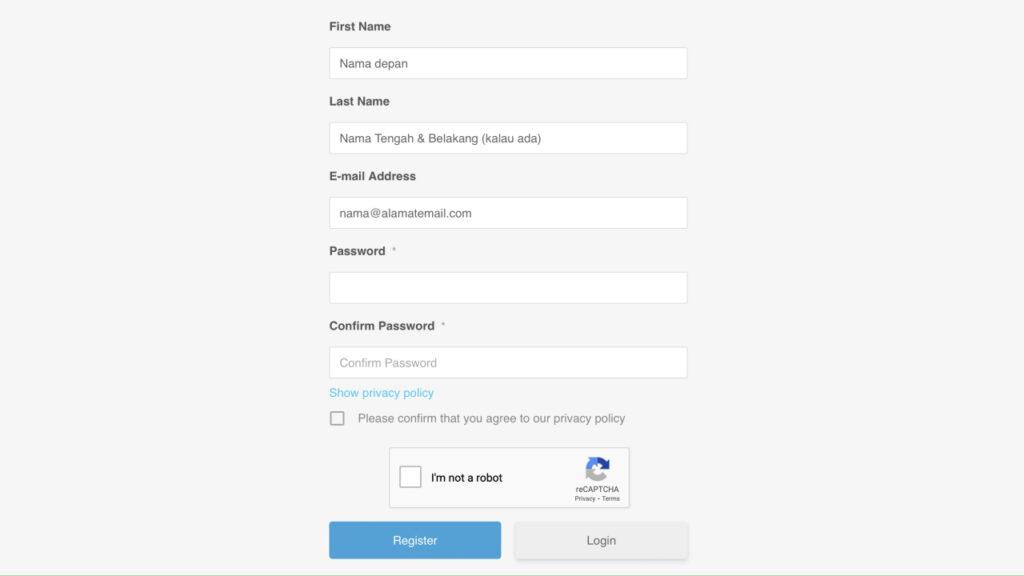
Fill in the form such as your name, surname is last name (optional), email address, password correctly then click the "Register“.
3. Email Verification
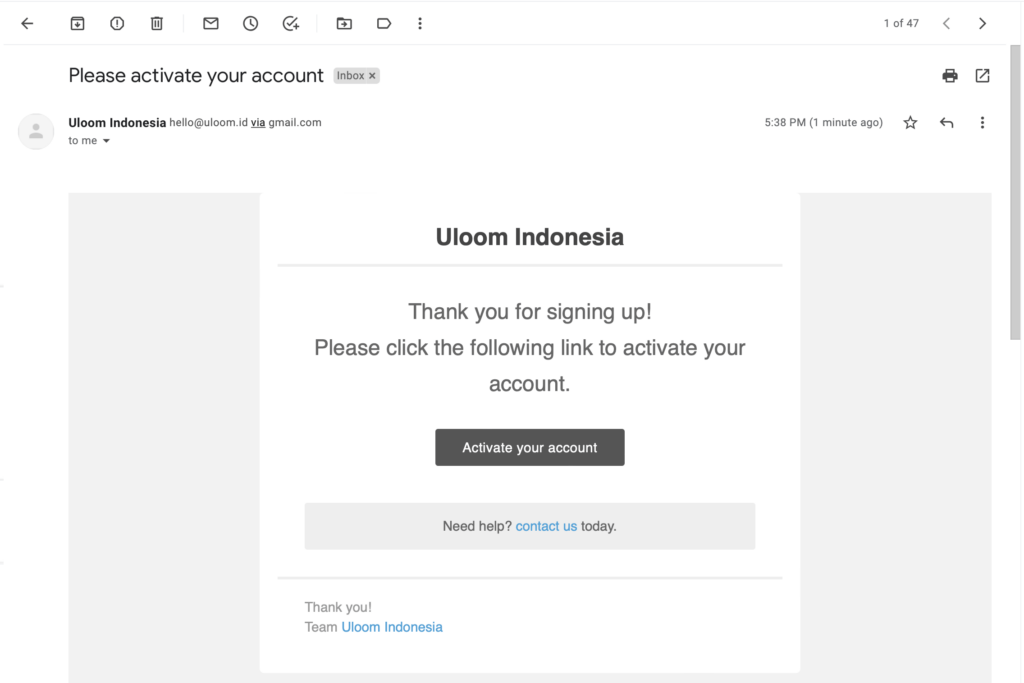
Next Uloom will send a verification email. If you have received please click Activate Your Account and will be taken to a page to login.
4. Login or Join
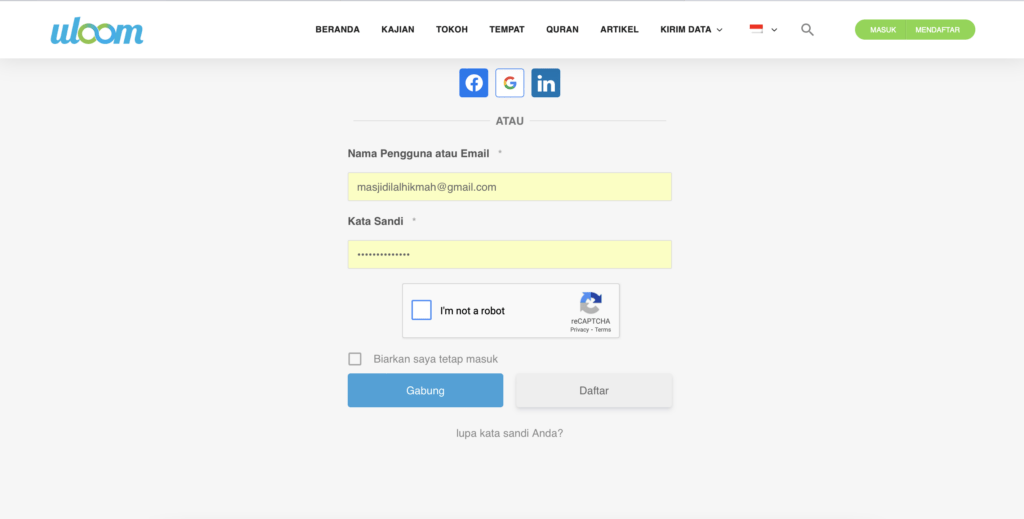
Since you have registered, then please log in or login using the registered username, email, and password.
5. Update Profile
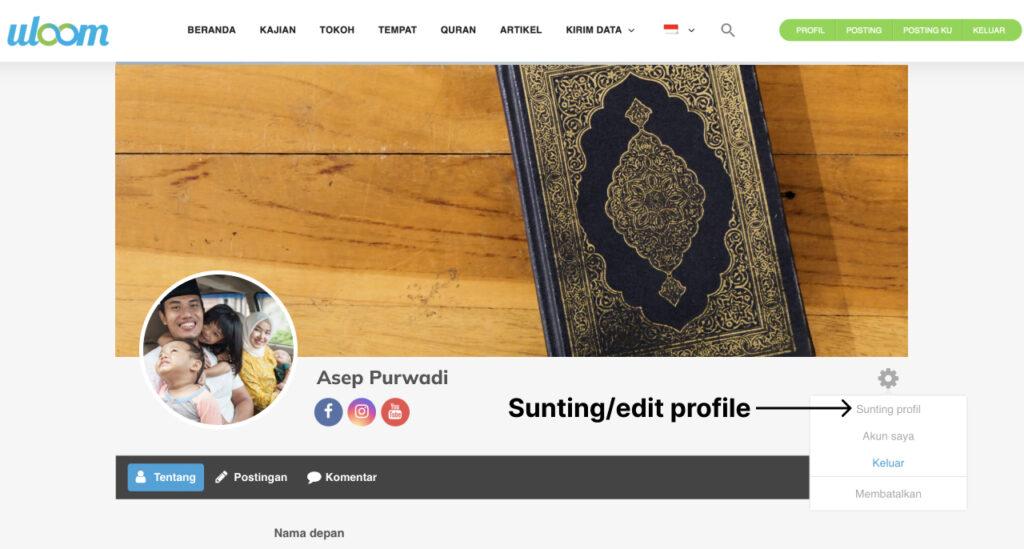
Thank God, you made it in. On this page you can change the appearance of the cover photo, upload a personal photo, write your profile, and much more. The trick is to click on the right setting icon button and select edit profile or edit profile.
6. Start Posting
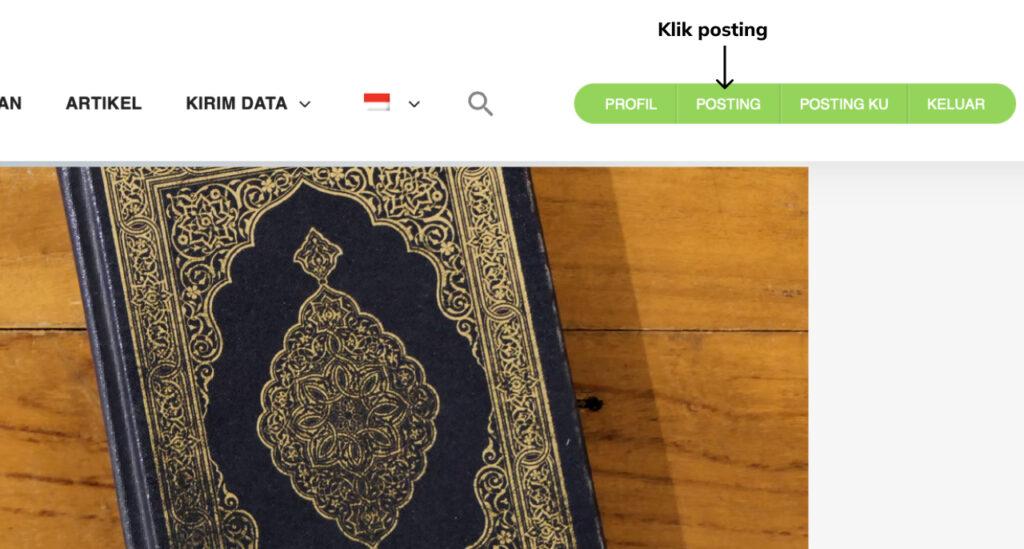
Ok, because you are already logged in, the automatic button "post" will appear. If on the desktop the button is on the top right and if on the mobile, click the menu then the "post" button is below.
7. Writing Articles
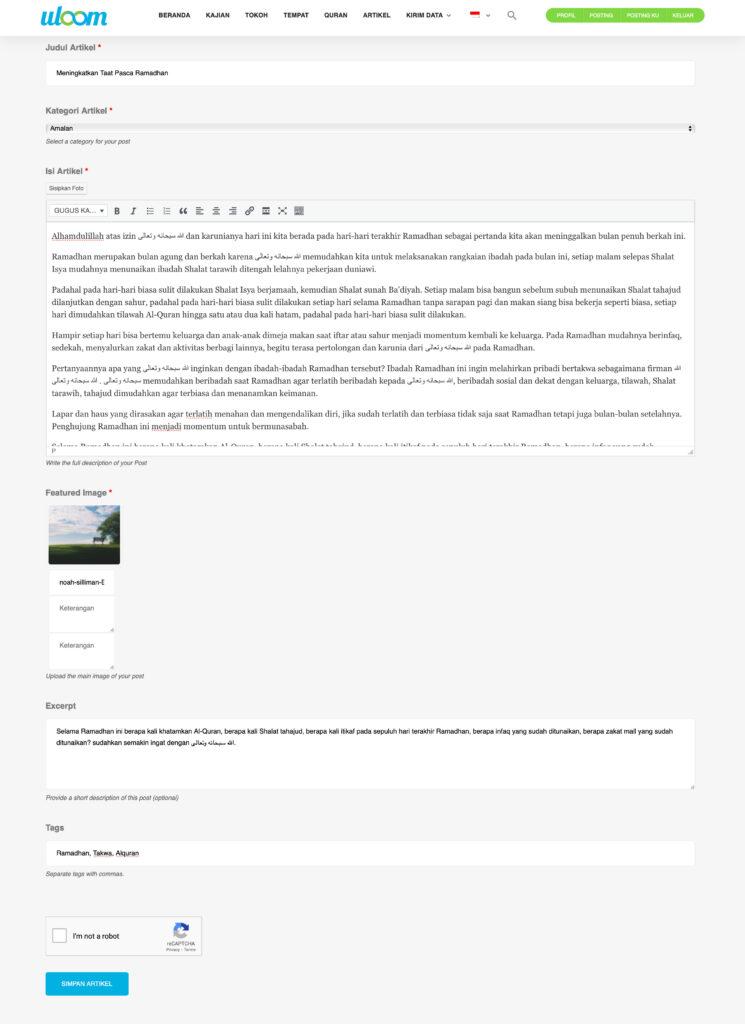
Well now it's on the article posting page. Please post your writing. at the top is the title of the article, select your writing category, then fill in your article. You can edit your writing here. If you want your writing to be more lively, please enter a photo/image by clicking the button featured image. You can also make an excerpt or a short description of your writing. Don't forget to tag so it's easy to find and click "I'm not a robot" before pressing the button Save Article/Save Article.
Oh yes, you can also change Indonesian to English and vice versa.
8. Thank God!
After posting, the writing does not appear immediately. Because every article sent will be moderated and edited if necessary. You can also see the status of your posts on the page my post.
Again, writing is the last level of learning after hearing, seeing, reading, listening and practicing. Because after the knowledge that is known is put into practice in the right way, then we can convey knowledge to others.

Happy writing, barakallahu fiikum.









 Sunnah.



God willing